What version of Satellite am I running?
Environment
- Red Hat Satellite 6
Issue
- Which version of Red Hat Satellite is running?
- How do I find out which version of Satellite server is installed on a system?
Resolution
-
The version of Red Hat Satellite can be determined from the
Web UI(such as at the login screen) or via thecommandline. -
Via Web UI:
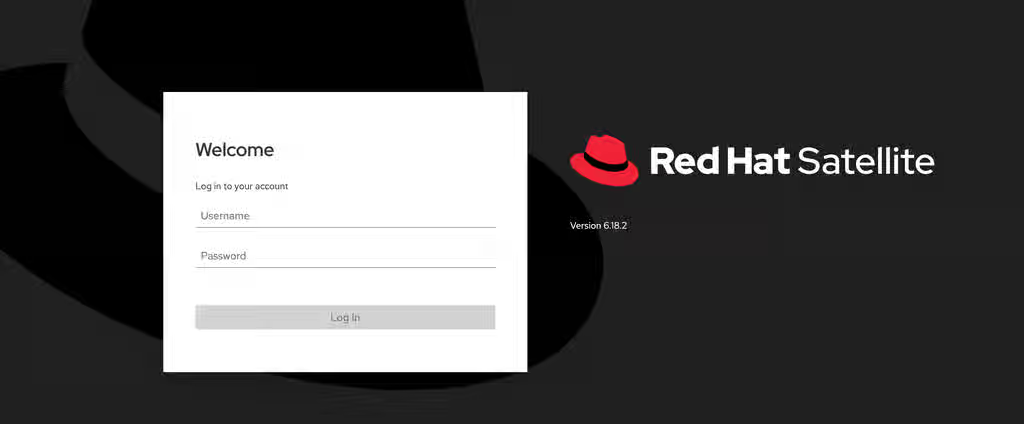
- Enter the FQDN (fully qualified domain name) of the Satellite server in a web browser.
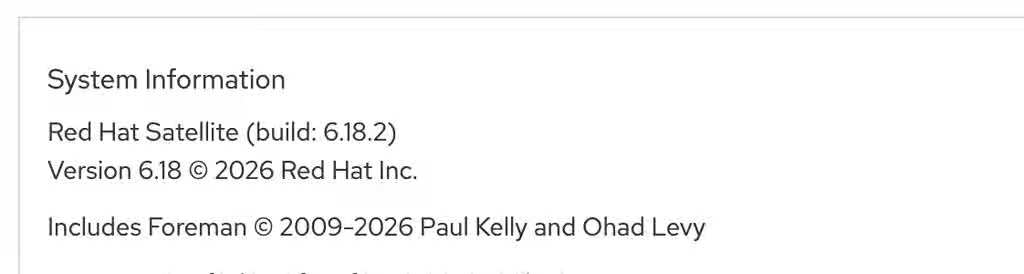
- Either the Login page or the default page will be displayed, depending on whether you have an active session.
The version can be found on the right-hand side of the screen on either the login page or the "About" page (navigate to "Administer" -> "About" from the top right corner menu):
-
Via command line:
- The following command can be used to check the version:
[root@sat6test1 ~]# rpm -q satellite
satellite-6.18.2-1.el9sat.noarch
For a list of Satellite releases and dates, please see this Article for details.
SBR
Product(s)
Category
This solution is part of Red Hat’s fast-track publication program, providing a huge library of solutions that Red Hat engineers have created while supporting our customers. To give you the knowledge you need the instant it becomes available, these articles may be presented in a raw and unedited form.