Using the Satellite Inventory Uploader Plugin to submit inventory to Subscription Watch
Environment
Satellite 6.5 or newer
Issue
How to submit inventory via the Satellite Inventory Uploader plugin
Resolution
Satellite inventory can be uploaded by
Prerequisites
-
Ensuring that the Satellite plugin is installed properly
- Instructions for This content is not included.Satellite 6.5
- Instructions for Satellite 6.6
-
In the Satellite UI, visit the RH Inventory -> Manage menu
-
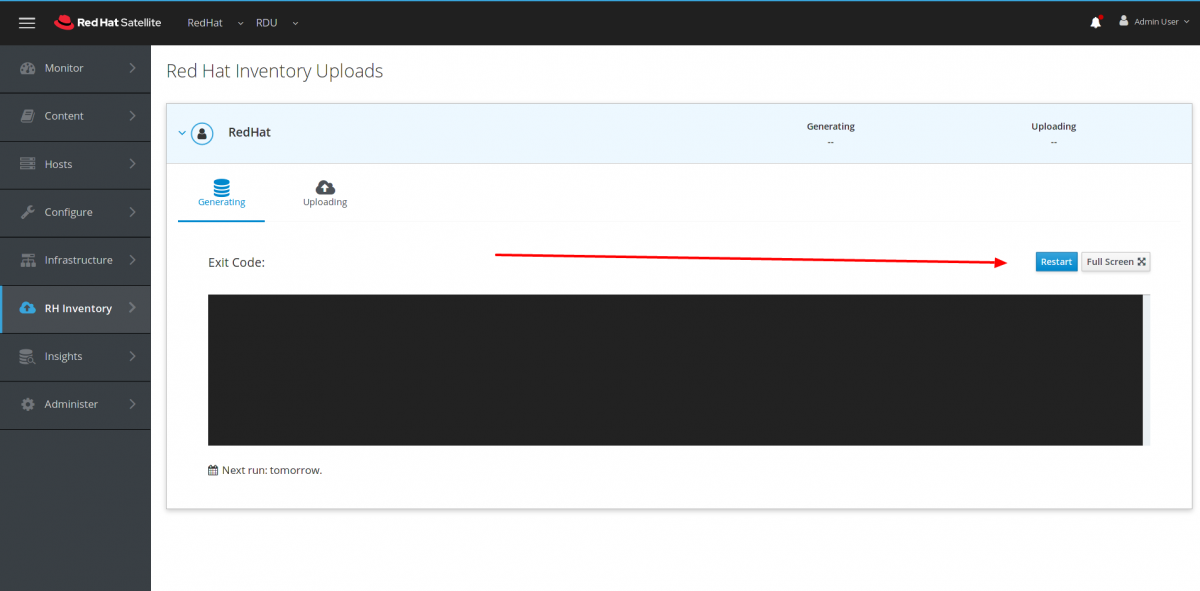
On the Generating tab, select Restart to generate a new report
- On the Uploading tab, select Restart to upload a report.
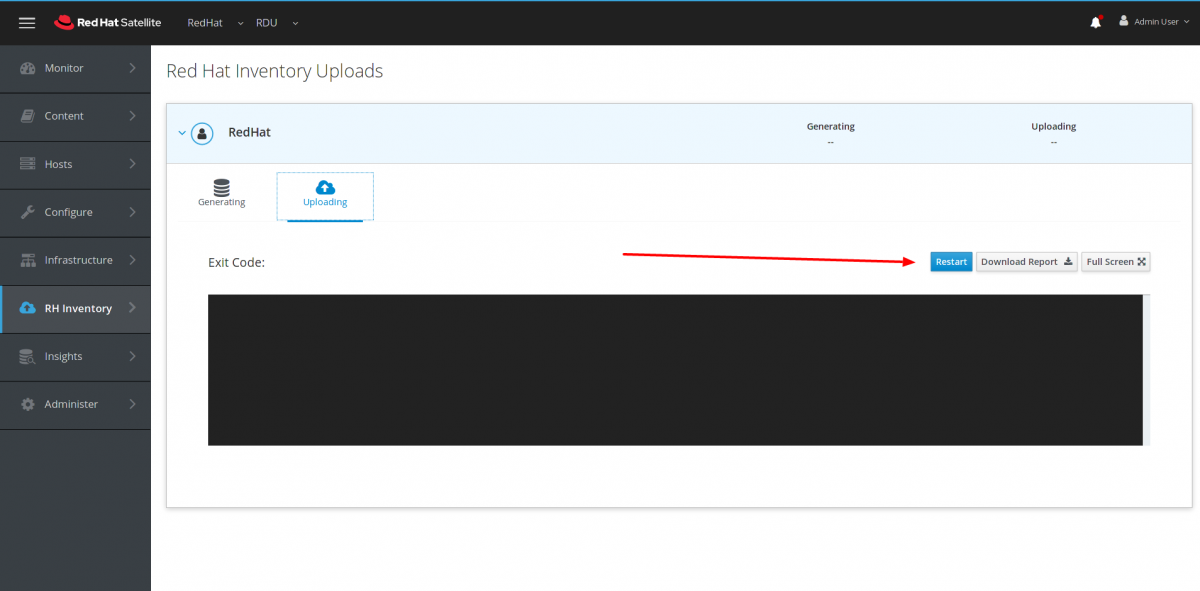
- Alternatively, select Download Report to download a report in tar.gz format for offline review.
Root Cause
Instructions were unclear as to how to upload a report to Subscription Watch using the Satellite Inventory Uploader.
Product(s)
Category
This solution is part of Red Hat’s fast-track publication program, providing a huge library of solutions that Red Hat engineers have created while supporting our customers. To give you the knowledge you need the instant it becomes available, these articles may be presented in a raw and unedited form.