How to list the systems reported to Subscription Watch
Environment
Red Hat Subscription Watch
Issue
Subscription Watch is providing the total number of subscription and the total number of hosts to determine the current usage of Subscription.
In some case there is a need to validate what Hosts were being reported to Subscription Watch to better understand the utilization. However Subscription Watch does not directly provide the list of hosts.
Resolution
It is possible to see this data from another menu on cloud.redhat.com
Listing the RHEL Systems from the Webui
Navigate to the This content is not included.Insights Inventory
By default the Insights filter is enabled, this will only show hosts that are reported by the Insights Client
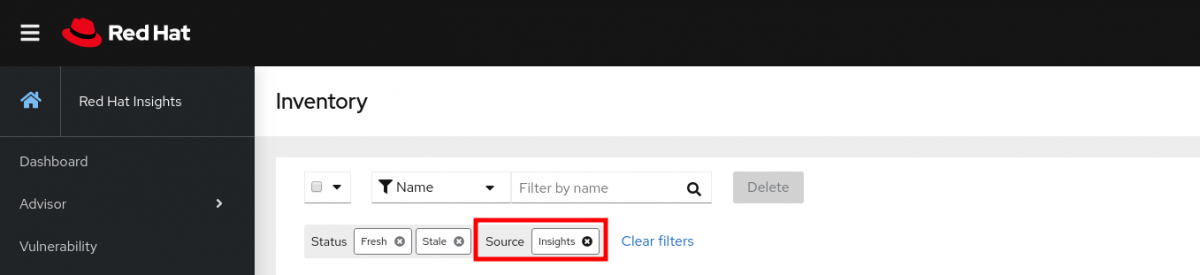
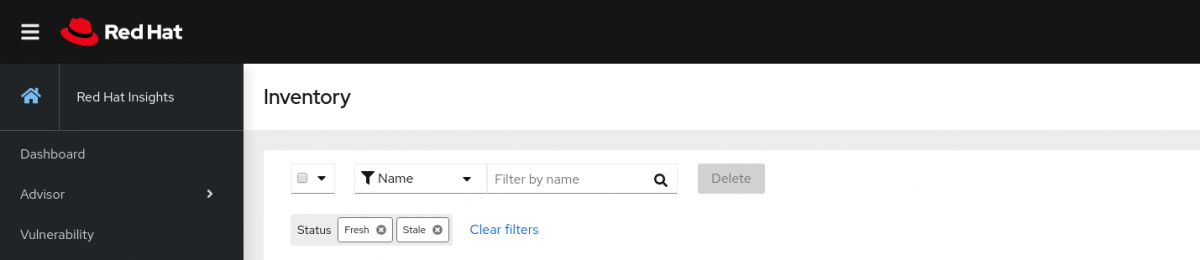
Remove the Insight filter, this will show you all the hosts that were uploaded by other sources such as the Satellite Inventory Plugin.
Listing the RHEL systems from the API
The Insights Inventory is providing an API we can use to gather information about Hosts.
Please take a look at the following script to export the list of hosts from the API:
Content from github.com is not included.insights-inventory-exporter
Listing the OpenShift Clusters
Simply navigate to This content is not included.Red Hat OpenShift Cluster Manager to get the list of OpenShift clusters.
Permanent solution
A feature request This content is not included.BZ 1834990 was filed to have such a feature built-in Subscription Watch in the future.
This solution is part of Red Hat’s fast-track publication program, providing a huge library of solutions that Red Hat engineers have created while supporting our customers. To give you the knowledge you need the instant it becomes available, these articles may be presented in a raw and unedited form.