Installation to iSCSI Target Fails During Auto-Partitioning
Environment
On HPE DL384 and RL300 servers
Issue
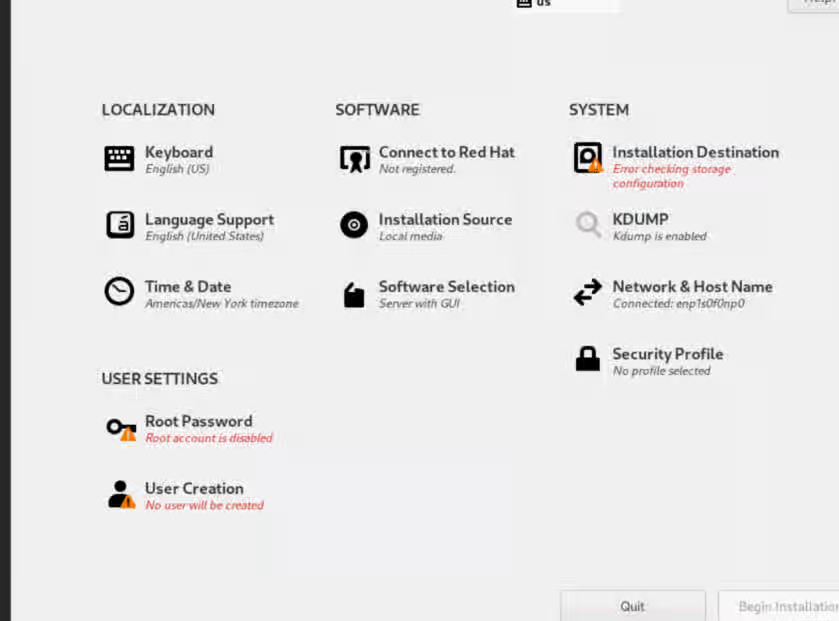
Installing Red Hat Enterprise Linux (RHEL) to an iSCSI target fails during the disk auto-partitioning phase. You might encounter the following error message: "Error checking storage configurations".
Resolution
To work around this issue, follow these steps:
- Add the boot parameter
"inst.nonibftiscsiboot"to the kernel command line when starting the RHEL installer. - Manually attach the iSCSI devices using the graphical user interface (GUI) during installation.
This workaround enables the installer to recognize and use the manually attached iSCSI devices as bootable storage.
Root Cause
Due to the absence of the iscsi_ibft kernel module, RHEL running on aarch64 does not support automatic discovery of iSCSI devices. These devices will not be visible in the installer by default. Furthermore, even if iSCSI devices are manually added through the graphical user interface (GUI), the user will not be able to use those devices as bootable storage.
This solution is part of Red Hat’s fast-track publication program, providing a huge library of solutions that Red Hat engineers have created while supporting our customers. To give you the knowledge you need the instant it becomes available, these articles may be presented in a raw and unedited form.