What is a Remote Support Session and how to acknowledge the Remote Access Rider?
IMPORTANT NOTE: Commenting on this KCS article will NOT be considered acknowledgment of the Remote Access Rider
What is a Remote Support Session?
A remote support session allows viewing systems and environments utilizing Red Hat's products to address technical support issues that require immediate or interactive debugging, troubleshooting, or collaboration with Red Hat resources, third-party vendors, and technical teams within your organization.
Red Hat may agree to remotely access your systems if:
- Problems may need direct observation to help diagnose, debug or lead to the resolution of a software issue.
- There is a need to interactively diagnose or clarify an issue and any potential causes of an issue.
- Review and discussion of the action plan defined in the case is needed to ensure all parties understand potential risks and desired outcome.
- A third-party vendor utilizing or interacting with Red Hat components has reasonable need for troubleshooting or explanation of behaviors from Red Hat associates.
- When agreed upon by both Red Hat and you, the end user.
NOTE: It is preferable that remote support sessions be planned in advance to confirm availability of all necessary attendees/resources.
Red Hat may not need to engage in a remote session in scenarios where there is no issue with Red Hat products or integrations, or when no immediate technical assistance is required. Such scenarios include, but are not limited to:
- Standing by during migrations or upgrades or system environmental changes
- Scenarios where no actionable solution is required or applicable.
- Debugging non-Red Hat software as outlined in Scope of Production Support
- Monitoring an environment after a solution has been provided.
- Non-technical issues—such as account, user, and subscription management inquiries—are best supported by phone for urgent requests. These types of inquiries typically involve only screen sharing if necessary.
What steps are necessary for Red Hat to engage in a remote support session?
In order for Red Hat to engage in a remote session, regardless of which remote support tool is used, our Remote Access Rider must be reviewed and acknowledged by the customer to authorize Red Hat’s access to their environment. The acknowledgement process can be initiated in one of two ways:
- When prompted by the Red Hat Associate once the need for a remote support session has been identified in the case.
- During the case creation process
IMPORTANT: Acknowledgment of the Remote Access Rider is a prerequisite for allowing Red Hat to engage in a remote session. The Remote Access Rider can be acknowledged in advance of any remote session, however, rider acknowledgement does NOT guarantee that a remote session will be initiated.
The following two sections describe each process.
Acknowledge the Remote Access Rider when prompted by the Red Hat Associate
The steps for acknowledging the Remote Access Rider when prompted by the Red Hat Associate are as follows:
1) Navigate- Click on the link provided by the Red Hat Associate via case comment - this will link the acknowledgement to the specific case.
2) Review- Click Download to view the remote access rider.
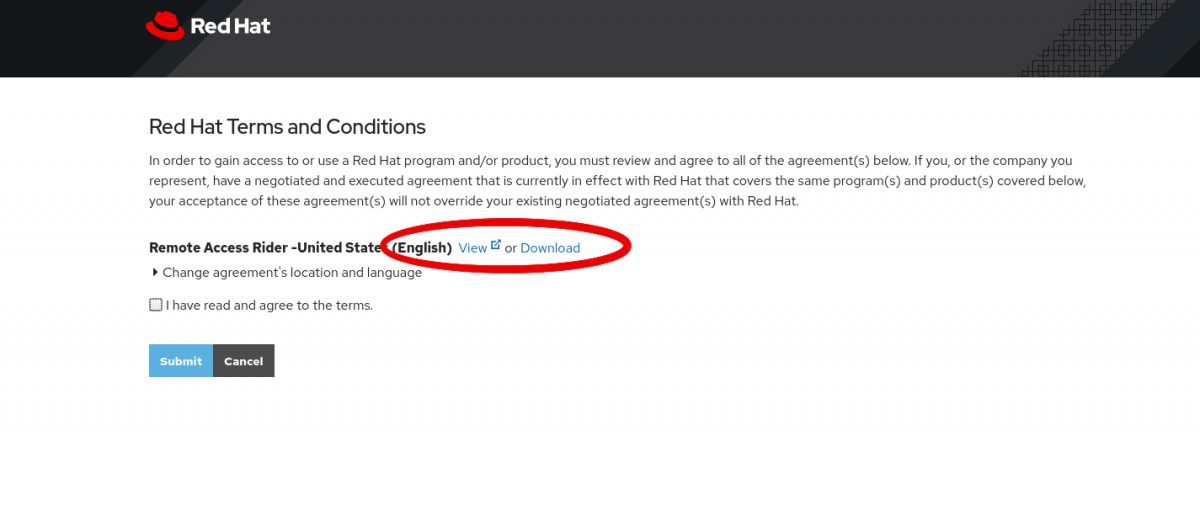
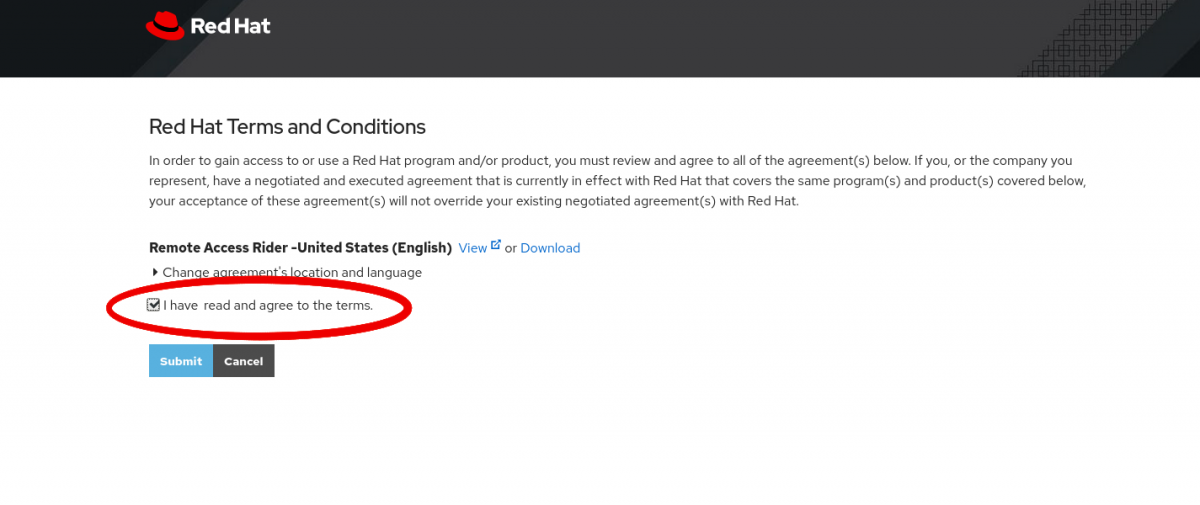
3) Accept- Once the rider has been reviewed it must be acknowledged by clicking the box next to “I have read and agree to these terms”.
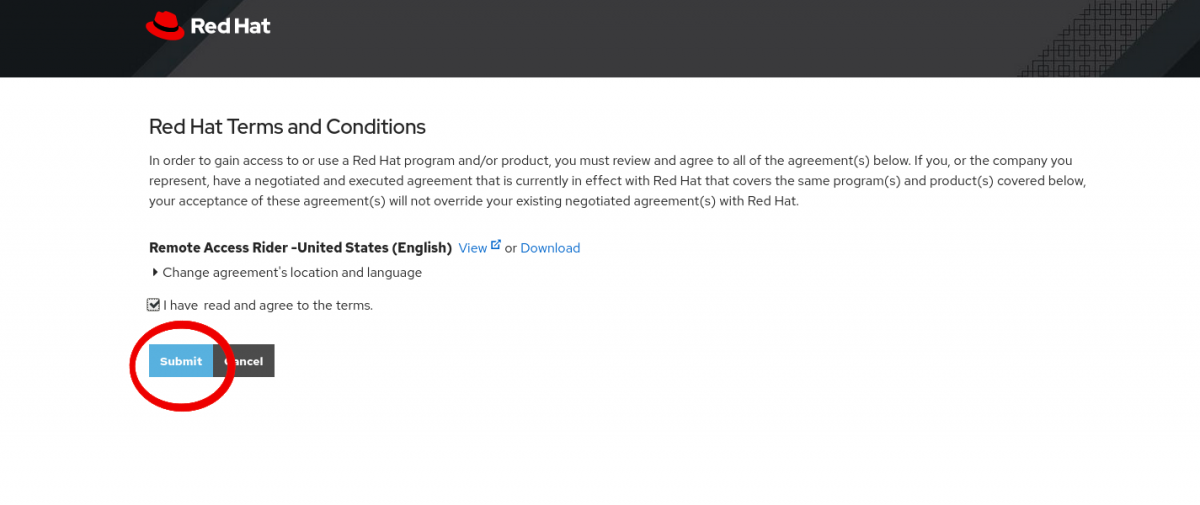
4) Submit- By clicking the "Submit" button, you signal acknowledgement of the above terms of the Remote Access Rider.
- Notification will be automatically sent to the Red Hat Associate that this step has been completed.
- A remote session cannot be started until the Remote Access Rider terms are acknowledged, and applies to the life of the individual case. It does not apply to any future support cases.
- If you do not accept the Remote Access Rider terms, click the "Cancel" button to decline.
5) Wait- Once the acknowledgement is confirmed, the Red Hat Associate will either initiate the session using Beyond Trust (f.k.a. Bomgar) or join the session provided by the customer for other remote support tools. The Red Hat Associate will coordinate a time for this to occur.
Request a Remote Session after case creation (through case details page)
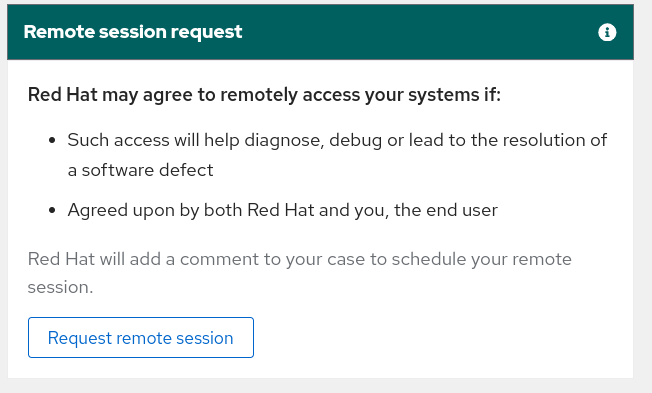
1) Navigate- Go to the case for which you want to request a remote session. Scroll down a bit and you will see the Remote session request section on the right.
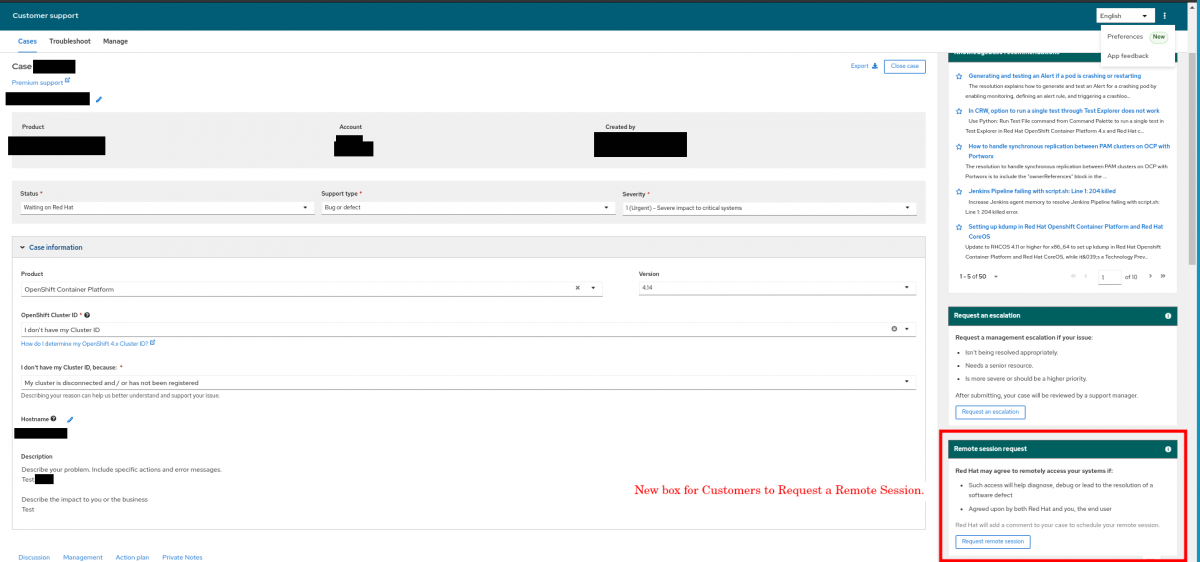
2) Start request- Click on the Request remote session button.
3) Expectations- Provide expectation for the Remote session (ex: "Review the problem symptoms live and collect troubleshooting data").
4) Impact- Describe the current impact of the issue requiring a remote session.
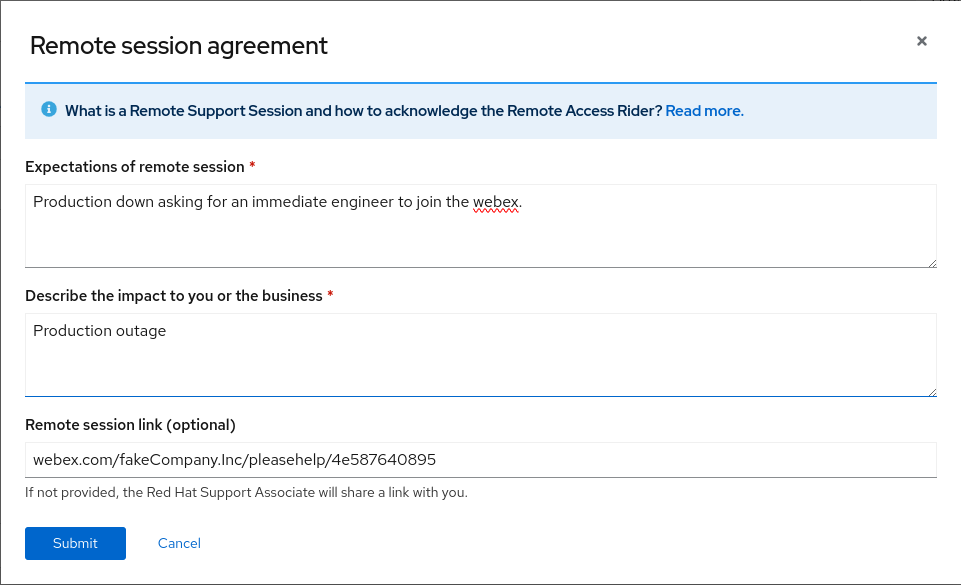
5) Optional Link- If you have a preferred screen sharing link, provide it in the Remote session link field. Otherwise, the Red Hat Support Associate will provide a link to the remote session.
6) Submit- Click Submit and verify the Remote Session Request and Access Rider are submitted, as per the popup.
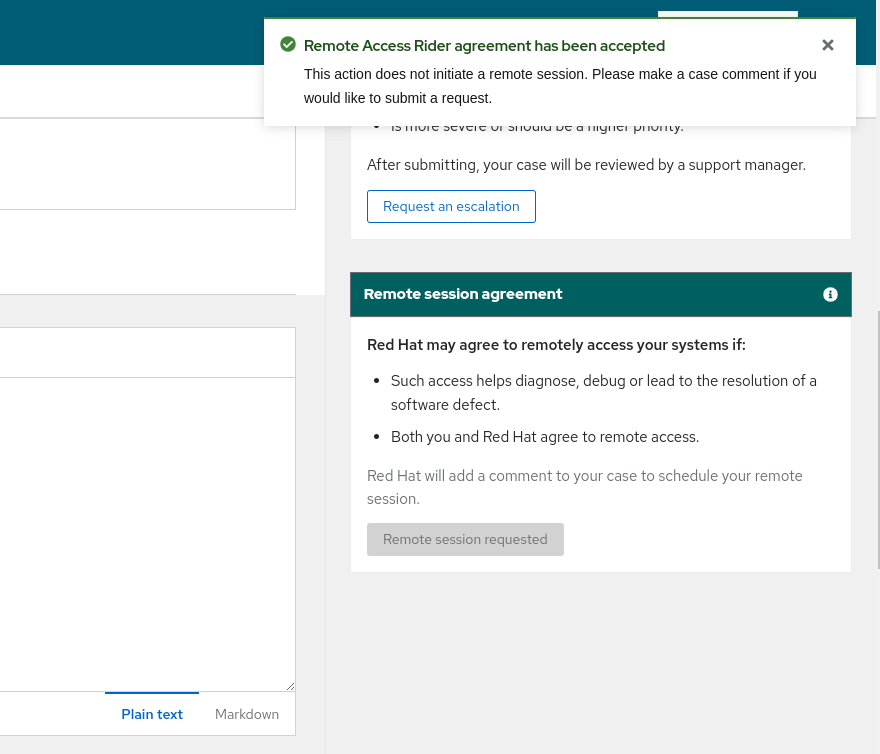
NOTE: Once the Remote Request is submitted, the Request Remote Session button is disabled until the request has been accepted by Red Hat support.
7) Wait- If the need for a remote support session is agreed by Red Hat, the Red Hat Associate will either initiate the session if using Beyond Trust (formerly known as: Bomgar) or join the session provided by the customer for other remote support tools.
What primary tool does Red Hat use to initiate remote sessions and how can I join one?
Beyond Trust (f.k.a. Bomgar) is the primary remote support tool used by Red Hat. When engaging in a remote support session using Beyond Trust, the Red Hat Associate will initiate the session and send the necessary link for the customer to join the session via a case comment. Detailed steps on joining these sessions can be found here: How do I join a remote support session via Beyond Trust (f.k.a. Bomgar)?
What if I am restricted from using Beyond Trust for remote support?
In some instances, companies have placed restrictions on which remote support tools their associates are allowed to use when working with support teams to troubleshoot issues. These restrictions may prevent the customer from being able to use Red Hat’s supported tool, Beyond Trust.
When this occurs, the customer should notify the Red Hat Associate assisting them with their case of the situation and what remote support tools they are permitted to use. Any sessions using tools other than Beyond Trust must be initiated by the customer and instructions for the Red Hat Associate to join provided via a case comment.
NOTE: The Remote Session Rider must be acknowledged prior to joining any session on a case; Beyond Trust or any other remote support tool. Once acknowledged, the Rider will be valid for all subsequent remote sessions for the life of the case.