21.3.3. Adding a Local Printer
Follow this procedure to add a local printer connected with other than a serial port:
- Open the
New Printerdialog (see This content is not included.Section 21.3.2, “Starting Printer Setup”). - If the device does not appear automatically, select the port to which the printer is connected in the list on the left (such as Serial Port #1 or LPT #1).
- On the right, enter the connection properties:
- for Other
- URI (for example file:/dev/lp0)
- for Serial Port
- Baud RateParityData BitsFlow Control
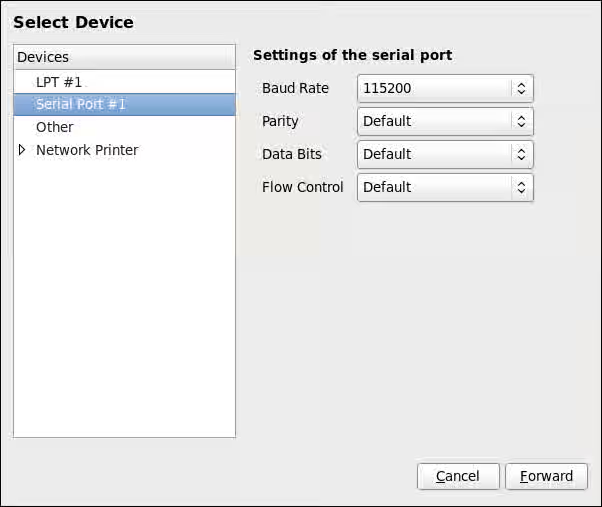
Figure 21.4. Adding a local printer
- Click .
- Select the printer model. See Section 21.3.8, “Selecting the Printer Model and Finishing” for details.