How do I add the RHEV-M CA to Internet Explorer to access the Admin Portal or the UserPortal via https?
Environment
- Red Hat Enterprise Virtualization (RHEV) 2.x, 3.x
- Client: Windows with Internet Explorer (IE)
Issue
- How do I add the RHEV-M CA to Internet Explorer so that I can use https to access the Admin Portal or the UserPortal?
- Note: This article shows how to add the CA cert using Internet Explorer but a similar procedure exists for Firefox
Resolution
-
Open the CA file in Internet Explorer by browsing to Content from rhevm.fqdn is not included.Content from rhevm.fqdn is not included.http://rhevm.fqdn/ca.crt for RHEV 2.x and 3.x except RHEV 3.0 which is located on Content from rhevm.fqdn is not included.Content from rhevm.fqdn is not included.http://rhevm.fqdn:8080/ca.crt. Then click "Open" on the File Download dialog box.

-
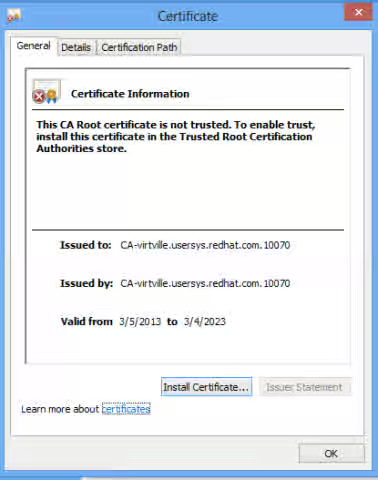
In the Certificate dialog click "Install Certificate..."
-
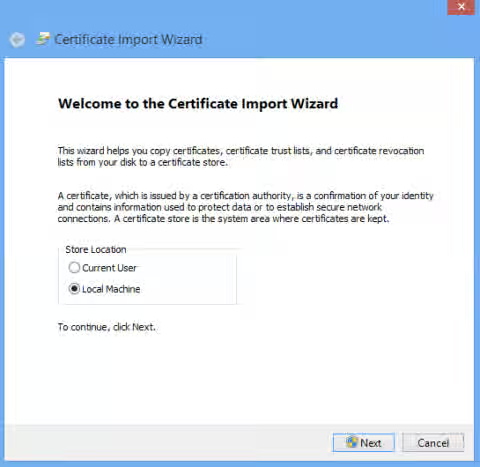
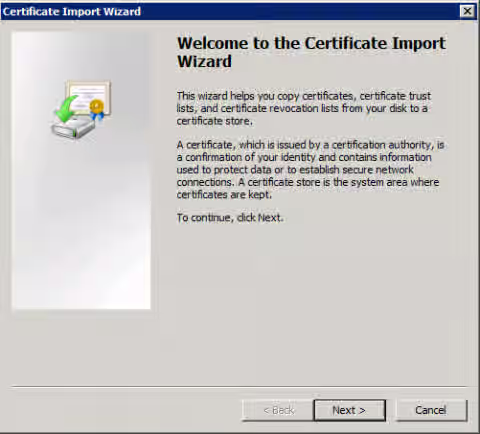
The Certificate Import Wizard will appear:
-
Windows 8: select "Local Machine", then click "Next"
-
Windows XP/7: Click "Next"
-
-
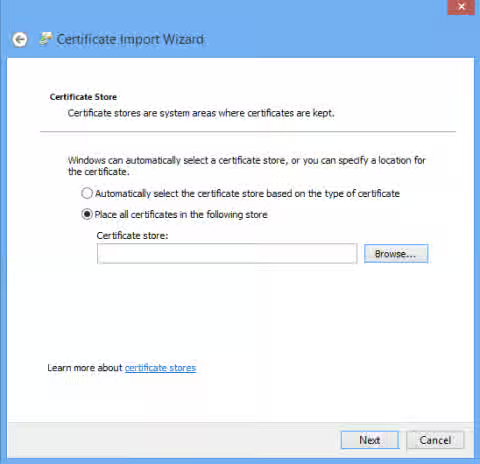
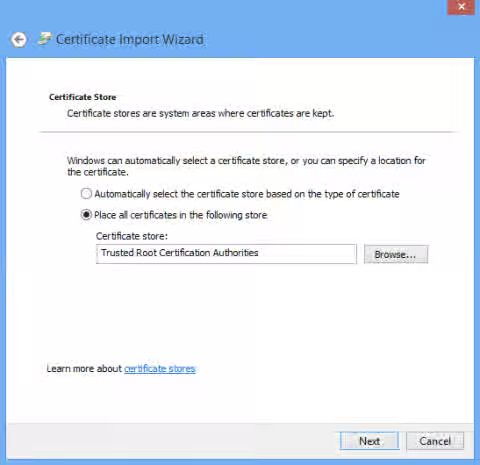
Select "Place all certificates in the following store" and click "Browse..."
-
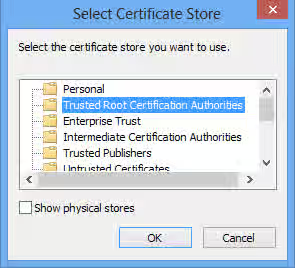
Select the "Trusted Root Certification Authorities" and click "OK"
-
After selecting the "Trusted Root Certification Authorities" store, click "Next"
-
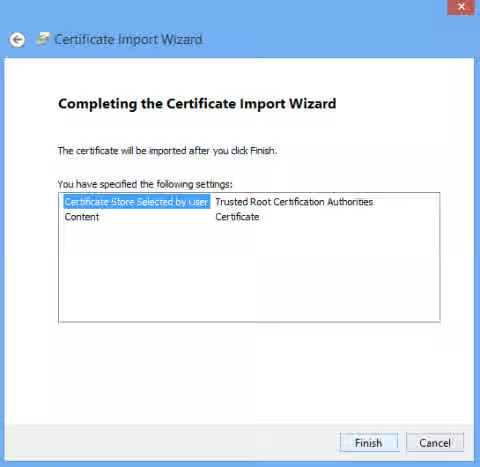
Click "Finish"
-
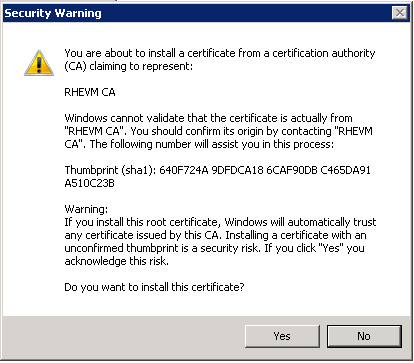
For Windows XP/7 only: In the following Security Warning dialog box, click "Yes"
-
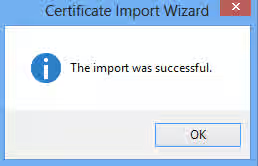
Click "OK"
-
Close all Internet Explorer windows and relaunch the RHEV Portal. You should be able to successfully access the portals via https without error.
Root Cause
The RHEVM CA Certificate Authority (CA) certificate is used by Internet Explorer to authenticate the RHEV Manager web service. It needs to be installed in the client trying to access Admin Portal for this authentication to take place, otherwise Internet Explorer can't ensure the RHEV Manager Web service is trusted.
Normally when trying to access the RHEV Manager via HTTPS for the first time on IE, it will offer to install the (CA) certificate - the whole address bar will be red-colored on background + Certificate error on the right. In some cases this automatic process won't occur.
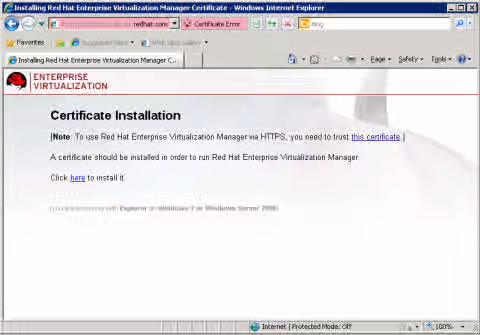
It is possible to install the CA certificate manually either into the domain CA, or to the local machine CA store.
This solution is part of Red Hat’s fast-track publication program, providing a huge library of solutions that Red Hat engineers have created while supporting our customers. To give you the knowledge you need the instant it becomes available, these articles may be presented in a raw and unedited form.